
EPC – Energy Performance Certificate
The EPC section is used to retrieve, select, and analyse Energy Performance Certificate (EPC) data for the subject property. EPCs can provide valuable insight into construction, services, energy efficiency, and changes over time.
This process is completed in two stages:
-
Selecting the correct EPC record.
-
Reviewing and analysing the EPC data.
Stage 1 – Selecting the Correct EPC
Purpose of this screen
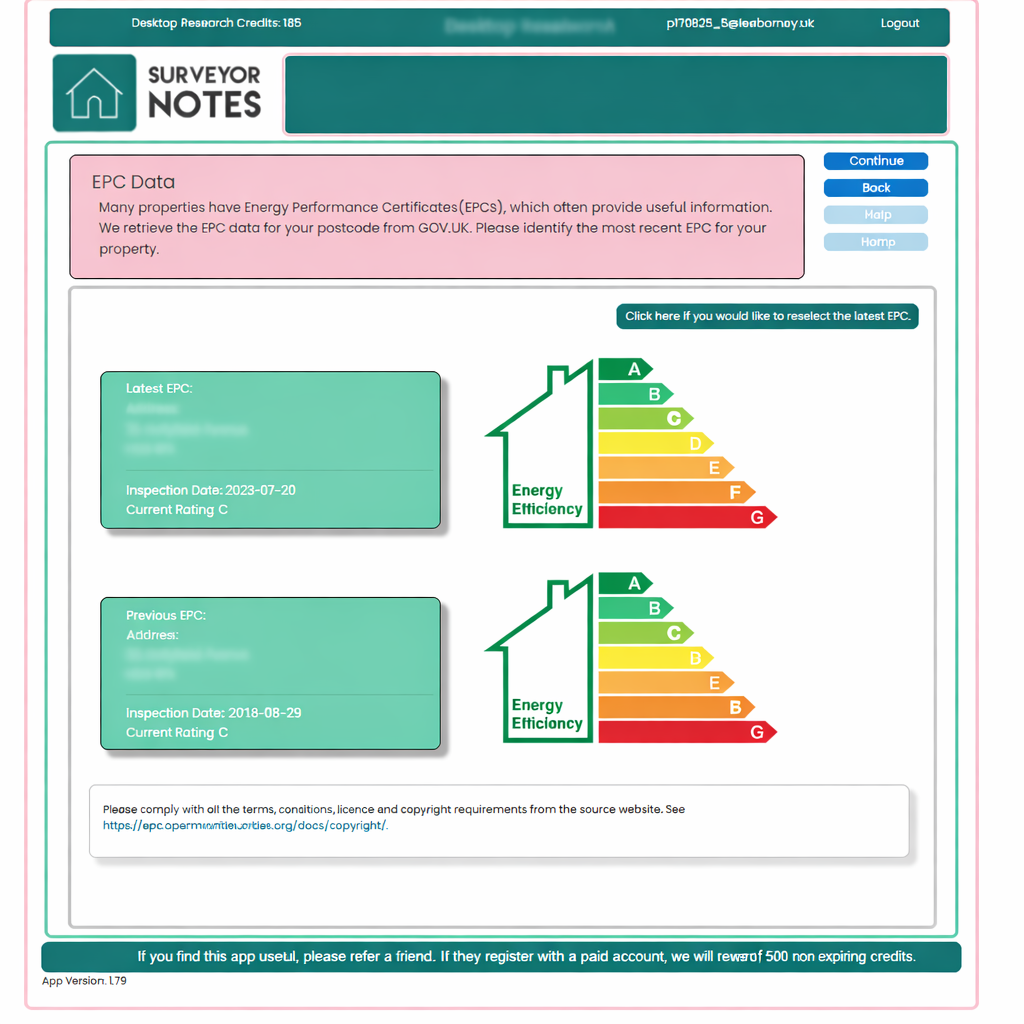
EPCs are retrieved automatically from GOV.UK using the property postcode.
As a postcode may cover multiple dwellings, one or more EPCs may be returned.
Your role at this stage is to identify and select the EPC that relates to the subject property.
How to use this screen
-
Review the list of EPCs returned for the postcode.
-
Check key details such as:
-
address,
-
inspection date,
-
property type,
-
energy rating.
-
-
Confirm the most relevant and most recent EPC for the property.
-
If required, you can reselect the EPC at any time using the on-screen option.
Once confirmed, the selected EPC becomes the basis for the detailed analysis shown in the next stage.
Important notes
-
Some properties will have only one EPC.
-
Others may have multiple EPCs, for example due to:
-
previous sales,
-
changes in tenure,
-
extensions or improvements.
-
-
Selecting the correct EPC is essential for accurate analysis.
Stage 2 – EPC Analysis & Review
Purpose of the analysis screen
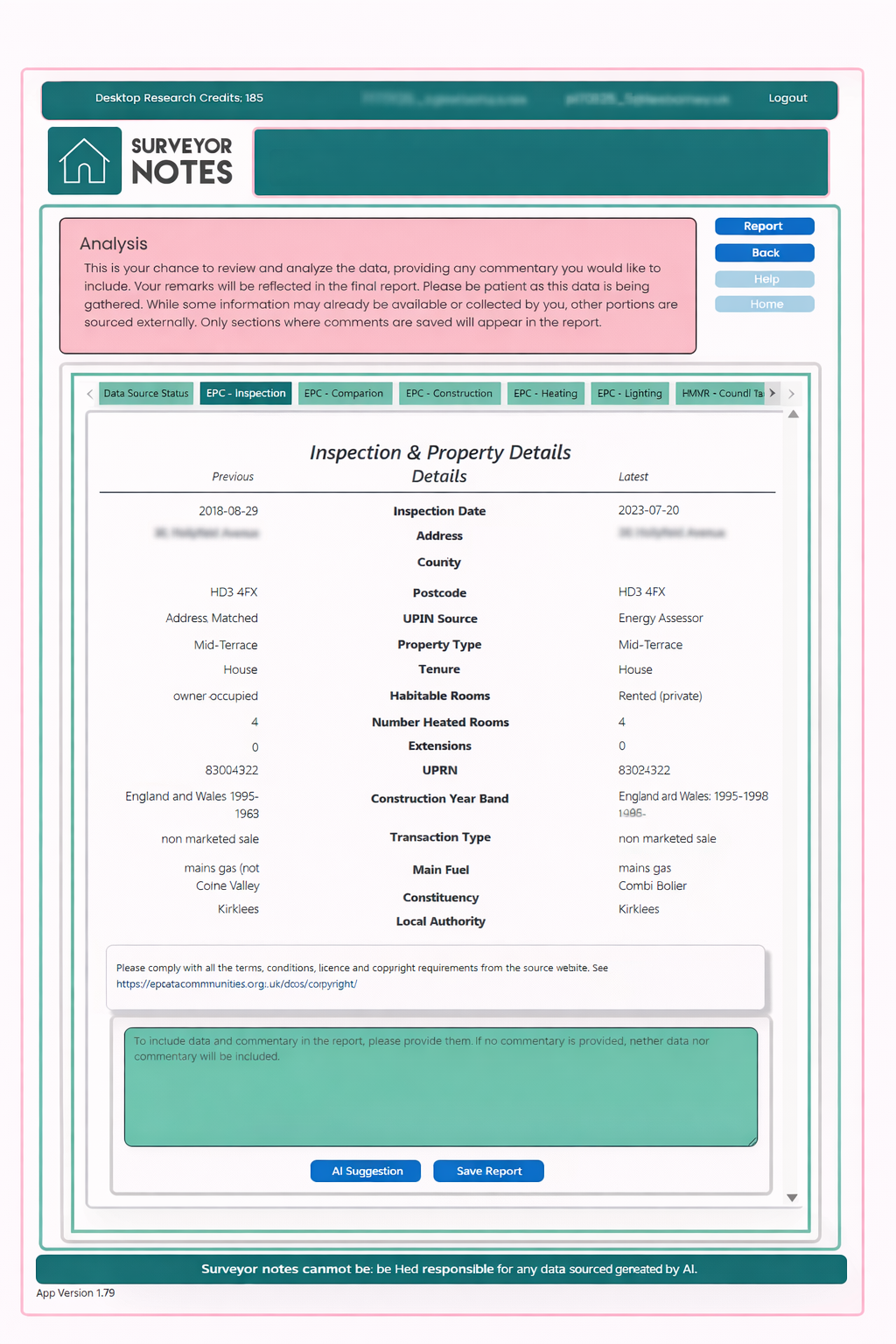
The Analysis screen presents a structured breakdown of the selected EPC, including key sections such as:
-
inspection and property details,
-
construction,
-
heating and hot water,
-
lighting and energy efficiency indicators.
This allows you to review EPC data in a clear, readable format rather than raw certificate text.
Multiple EPCs and change analysis
If more than one EPC exists for the property, the system can identify changes between certificates.
By using the AI Suggestion button:
-
differences between EPCs are analysed,
-
notable changes are highlighted (for example improvements or regressions),
-
guidance is provided on what the surveyor should look for at the property.
This is intended to support professional judgement, not replace it.
Adding professional commentary
You may add your own commentary in the text area provided.
When commentary is added:
-
it will be included in the final report,
-
only EPC sections with saved commentary will appear in the report,
-
responsibility for interpretation remains with the surveyor.
If no commentary is added, EPC data will not be included in the report.
Important notes
-
EPC data is sourced externally and presented for reference.
-
The EPC section supports understanding of energy performance but does not replace inspection findings.
-
AI-generated suggestions are assistive only and must be reviewed and verified by the surveyor.
Licensing and copyright
Please ensure compliance with all terms, conditions, licensing, and copyright requirements of the EPC data source. Surveyor Notes presents EPC information for professional reference and analysis only.