
Fine Tune Location
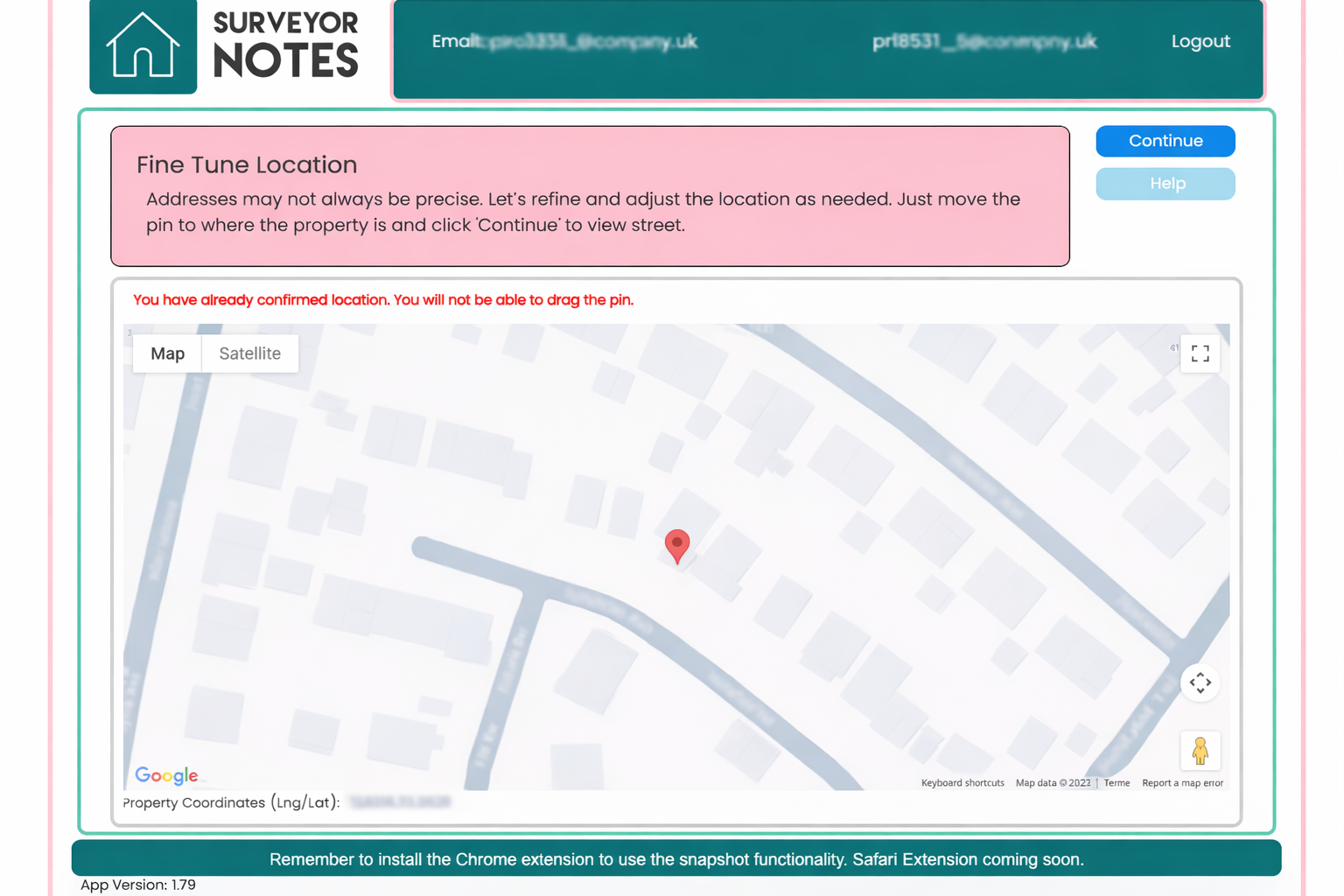
This screen is used to confirm and refine the exact location of the property. It ensures that all subsequent research and mapping data is based on the correct longitude and latitude.
Purpose of this screen
Address searches are not always precise. In some cases, a postcode or address search may place the property pin:
-
on a nearby road,
-
at the centre of a postcode,
-
or on an adjacent property.
The Fine Tune Location screen allows you to manually adjust the map pin so it accurately represents the subject property before continuing with Desktop Research.
How to use this screen
-
Review the location of the pin on the map.
-
If required, drag the pin to the exact position of the property.
-
Use map or satellite view to assist with accuracy.
-
Once satisfied, click Continue to proceed.
The confirmed coordinates will then be used for all mapping, risk assessments, and location-based data within the research workflow.
Location already confirmed
If you see a message indicating that the location has already been confirmed, the pin can no longer be moved. This helps prevent accidental changes once research has begun using those coordinates.
Important distinction
-
This screen does not contribute any content to the final report.
-
No screenshots, commentary, or data from this screen are included in the report.
-
It is purely a setup and accuracy step.
Its sole purpose is to ensure the property is correctly identified so that all later data (such as flood risk, radon, coal mining, and mapping information) relates to the correct location.
Why this matters
Accurate positioning is critical for:
-
environmental and risk mapping,
-
proximity-based assessments,
-
defensible professional conclusions.
By confirming the correct longitude and latitude at this stage, you reduce the risk of incorrect or misleading data appearing later in the research process.