
Historic Maps – Screenshots
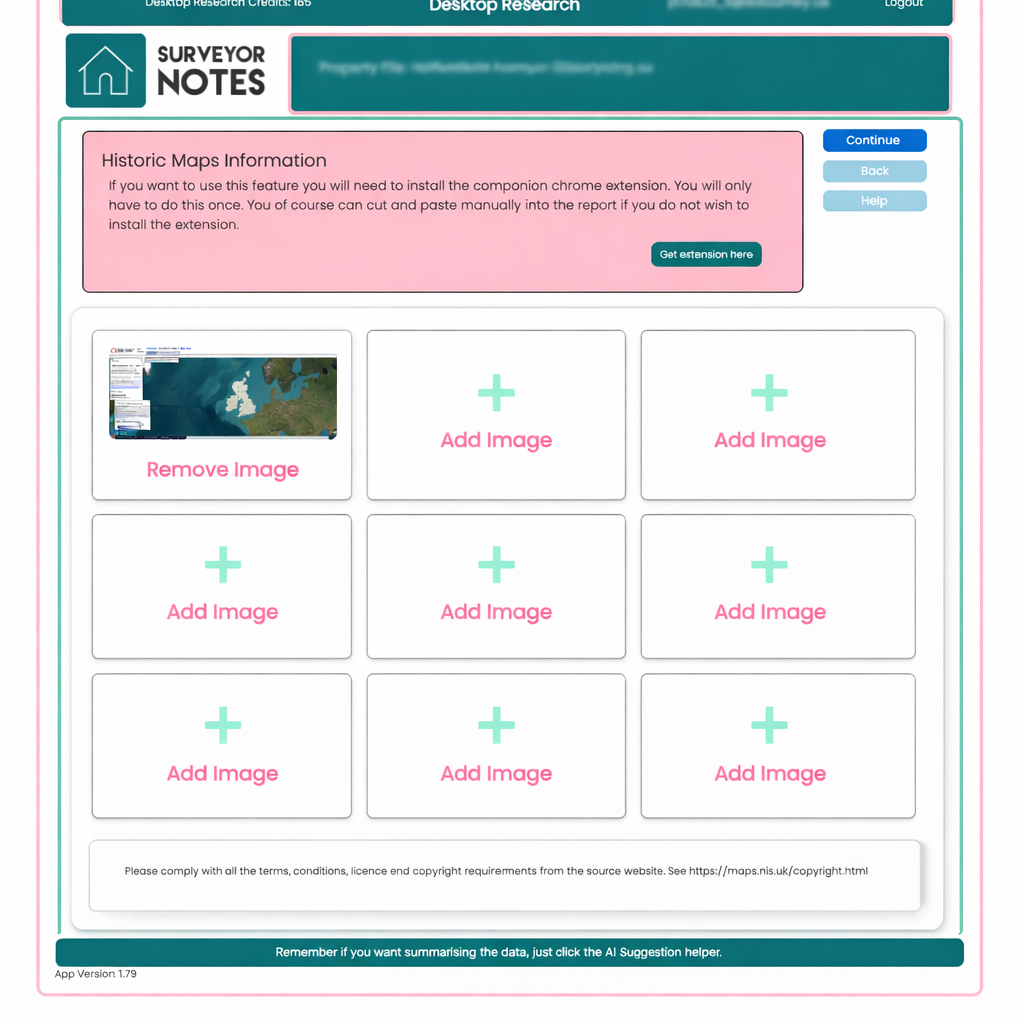
This screen is used to capture and store historic map imagery relating to the subject property. It allows you to retain visual evidence showing how the surrounding area and site have developed over time, supporting your professional assessment.
Purpose of this screen
The purpose of the Historic Maps screen is to collect screenshots from historic mapping sources, such as Ordnance Survey or other recognised providers. These images provide historical context that may highlight past land use, development patterns, or features no longer visible.
Screenshots are typically captured using the Surveyor Notes companion Chrome extension, which only needs to be installed once. If you prefer, images can also be added manually in the report.
How to use this screen
-
Open the historic mapping source in your browser.
-
Use the Surveyor Notes Chrome extension to capture screenshots.
-
Captured images will automatically populate the image slots on this screen.
-
You can save up to nine screenshots for the Historic Maps section.
-
Images can be removed and replaced at any time as your research progresses.
You may wish to capture:
-
different historic periods,
-
varying map scales,
-
or contrasting historical and modern views.
Important notes
-
This is an evidence capture screen only.
-
No written commentary is added at this stage.
-
All saved images are retained for use later in the Desktop Research workflow.
-
This screen can be used independently if you only wish to store historic map evidence.
Adding professional interpretation later
In later stages of the Desktop Research process, you will be able to review these historic map screenshots and add your professional interpretation.
When you add a comment:
-
your interpretation will be included in the final report,
-
only sections where commentary has been saved will appear in the report,
-
professional judgement remains entirely with the surveyor.
This approach separates fact gathering from analysis, supporting a clear and defensible reporting process.
Copyright and licensing
Please ensure you comply with all terms, conditions, licensing, and copyright requirements of the source mapping provider. Surveyor Notes stores screenshots as supporting evidence and does not replace original licensed data.